
Where to find your Zoom Link
If you’ve registered for an online class at Yoga Among Friends, your Zoom link is available in three possible places:
Your initial confirmation email
Your 24-hour and 2-hour reminder emails
Inside your Yoga Among Friends online account under Studio + Online Classes → Login → Appointments → Upcoming
How to Find Your Zoom Link in Your Yoga Among Friends Account (Step-by-Step Guide)
This guide walks you through how to access your account and find your Zoom link before class begins.
❗️Important Note Before You Begin
You must have created an account with your email and a password (or logged in) before registering for the class in order to find the Zoom link in your Yoga Among Friends account.
If you registered as a guest without creating an account, you will not be able to lot find the Zoom link in your account. In that case, please use the link provided in your email confirmation or reminder emails.

Step 1 — Go to the Yoga Among Friends Scheduling Page
Visit:
yogaamongfriends.com → Schedule → Studio + Online Yoga ClassesNear the top, right of the schedule page, click Login.
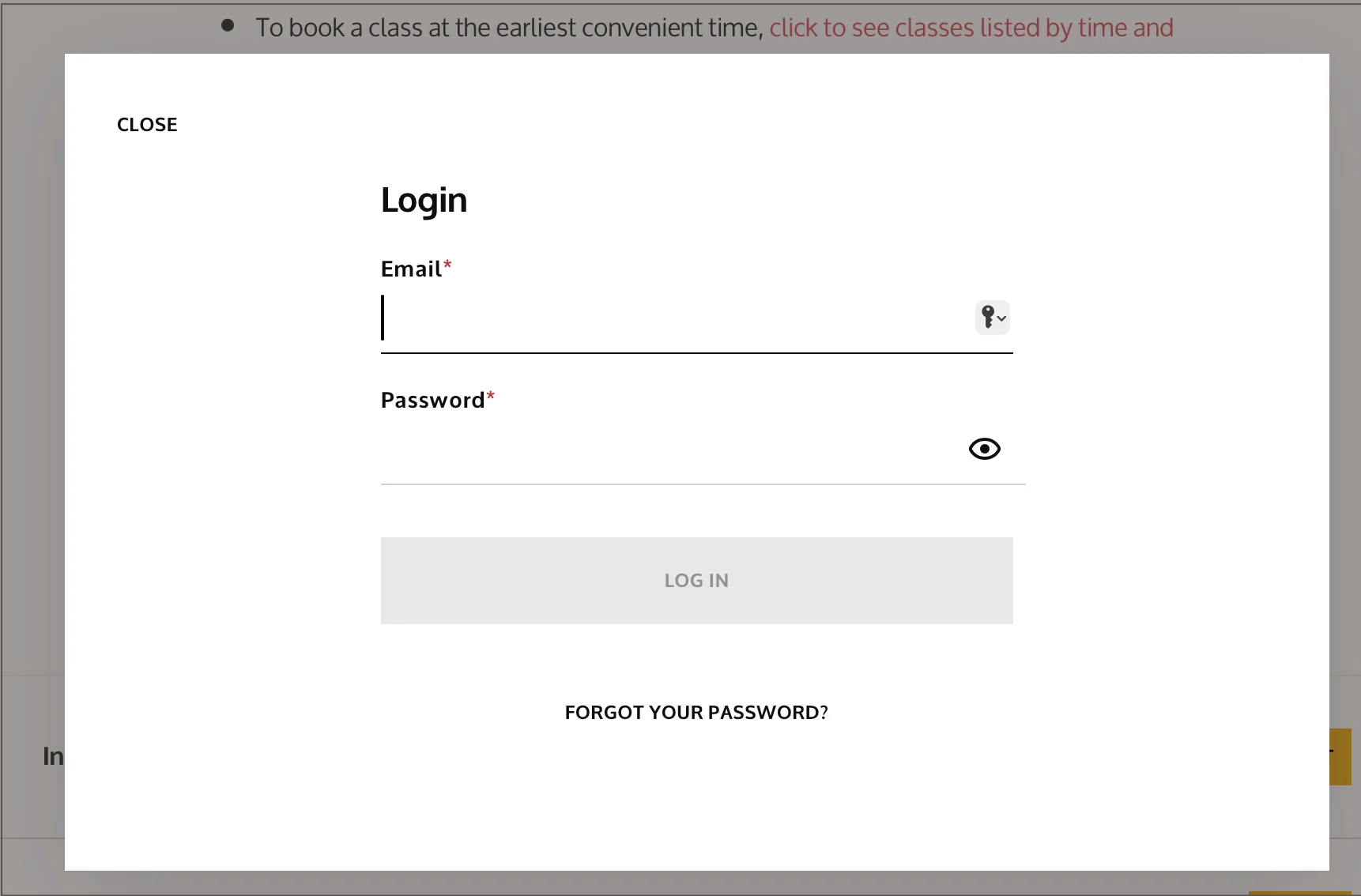
Step 2 — Log In to Your Account
Enter the email address you used when registering for class.
Enter your password, or click Forgot Password if you need to reset it.
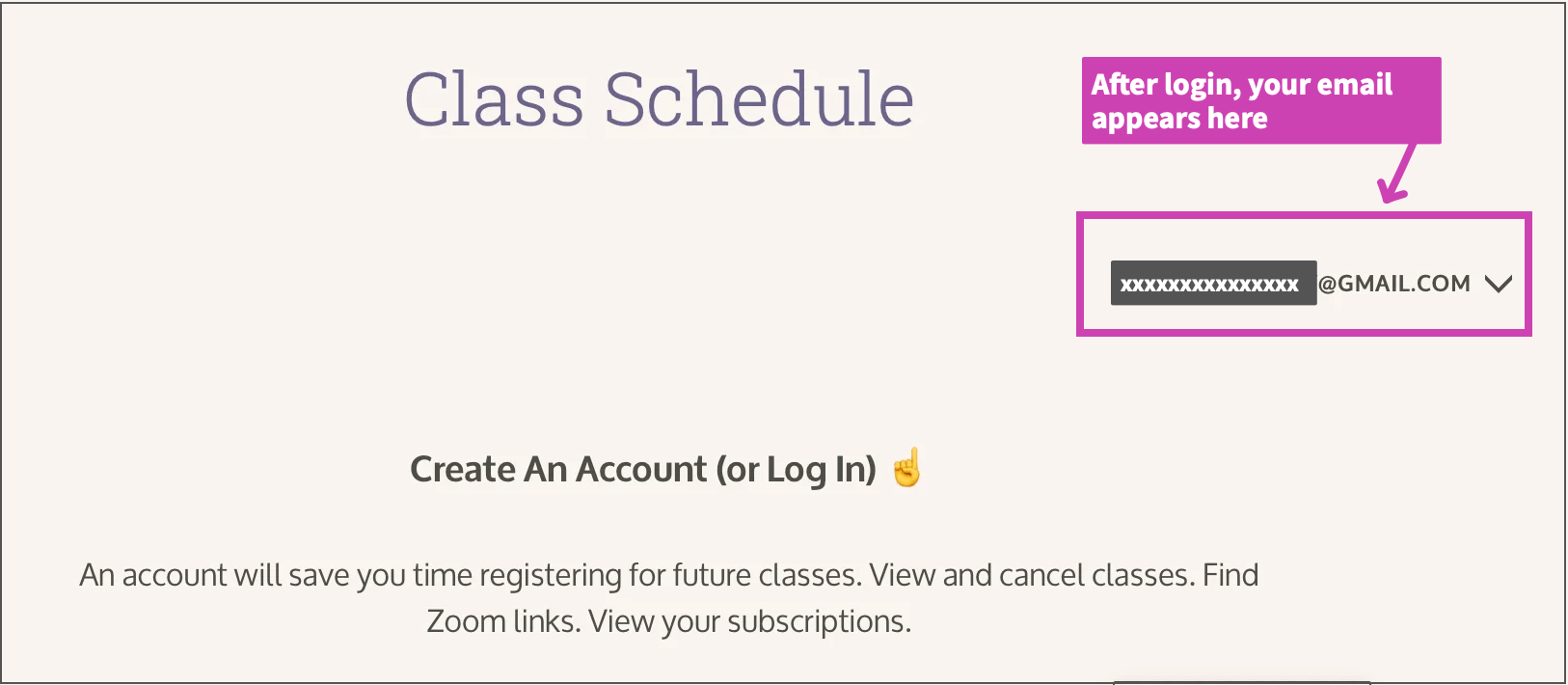
Once logged in, you will see your email address appear where the Login button used to be.
Step 3 — Open Your Appointments
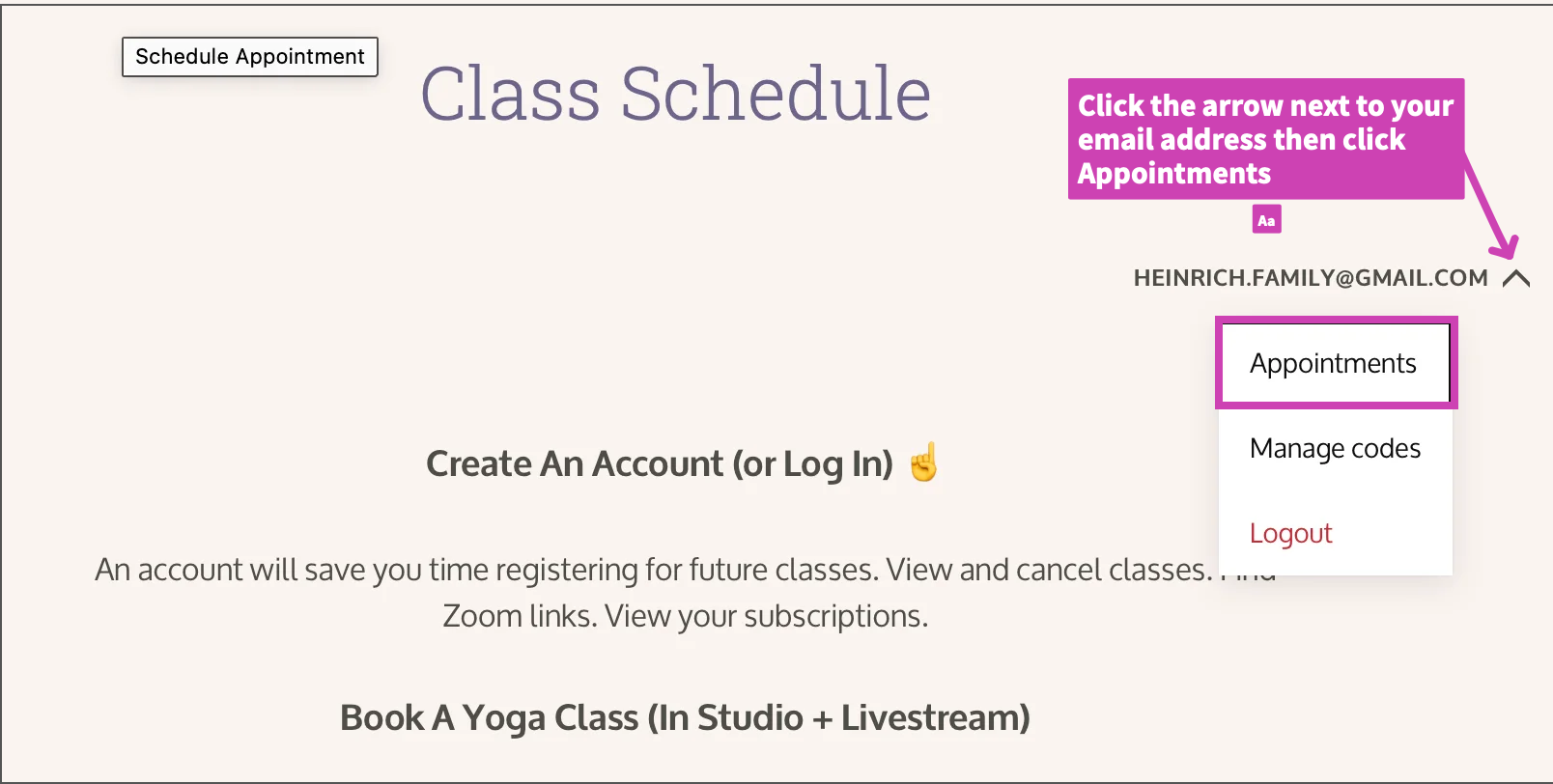
Click the arrow next to your email address.
Select Appointments from the dropdown menu.
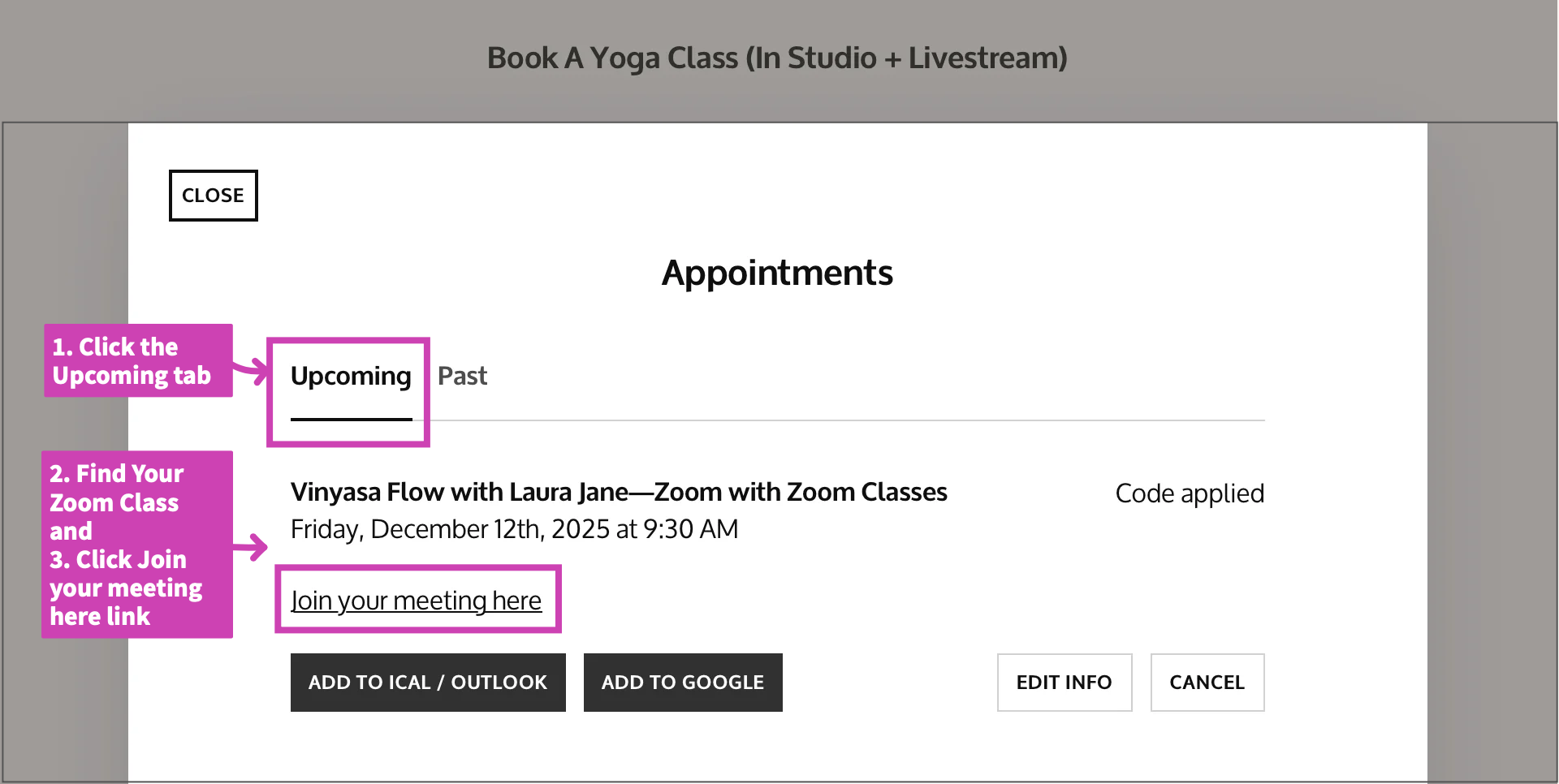
Step 4 — View Your Upcoming Classes
Click the Upcoming tab.
Locate the online class you registered for. You will see the class name, date, and details.
Click the link that says:
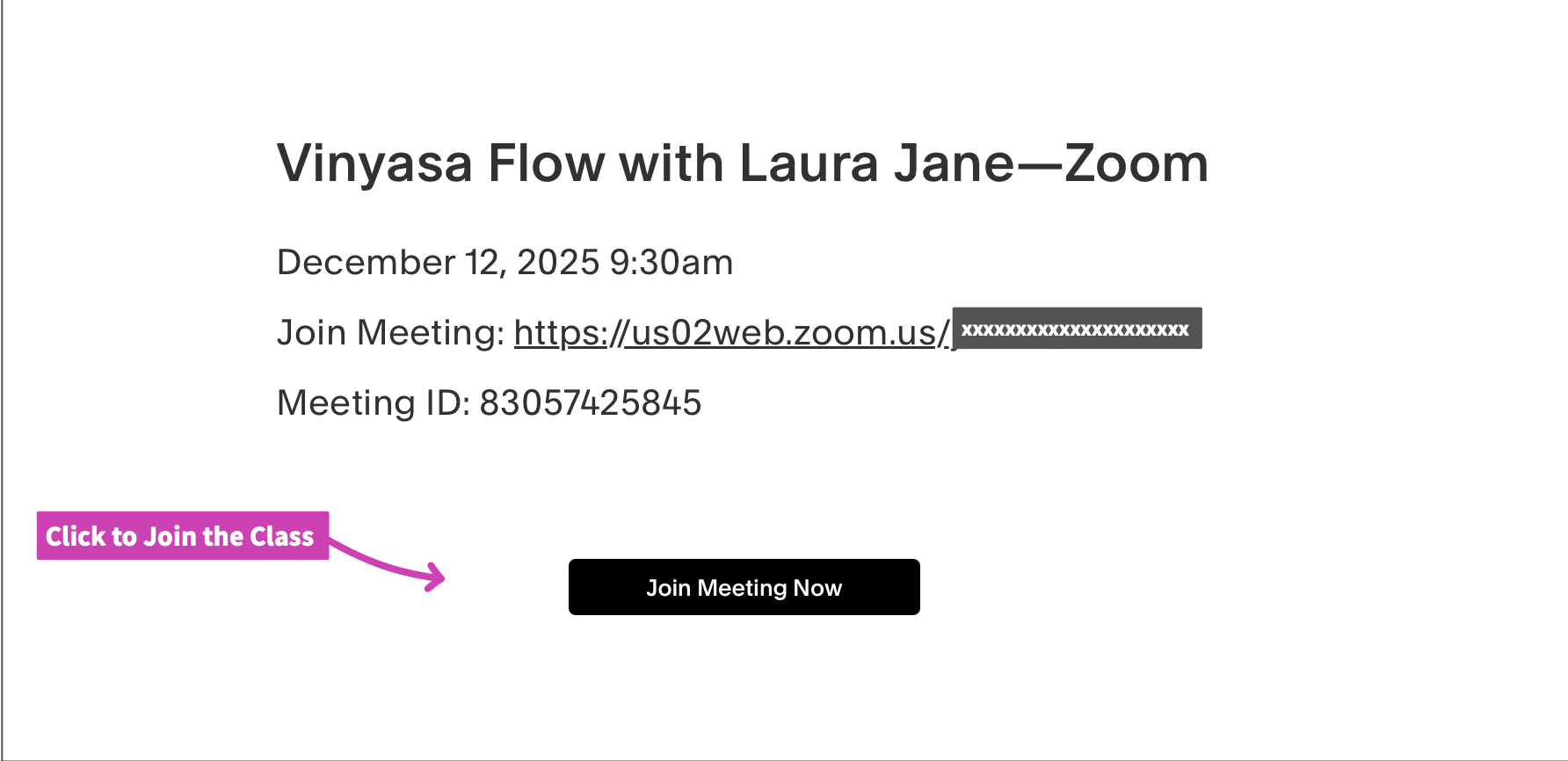
“Join your meeting here”On the next screen, click the button that says:
“Join your meeting here” to open the Zoom meeting window for the class.
If You Can't Find Your Zoom Link
Try the following:
✔ Check your email
Search your inbox for: “Yoga Among Friends”
Look for your confirmation email or your reminder emails (sent 24 hours and 2 hours before class).
✔ Check your spam or promotions folder
Email providers occasionally filter automated messages.
✔ Log out and back in
Sometimes the Appointments tab refreshes after a new login.
✔ Make sure you used the same email address
Students sometimes register with a different email than the one they try to log in with.
Still Need Help?
We’re happy to assist. Contact us.